Evidence capture
Attach original photographs and record the source counts, location and time.
Learn moreFrom field evidence to independent review.
Open NEMPIndependent monitoring. Access follows your organization’s roles and assignments.
Features 1 to 3 of 6
Bring the photograph, the recorded counts and the reviewer’s decision into one traceable record.
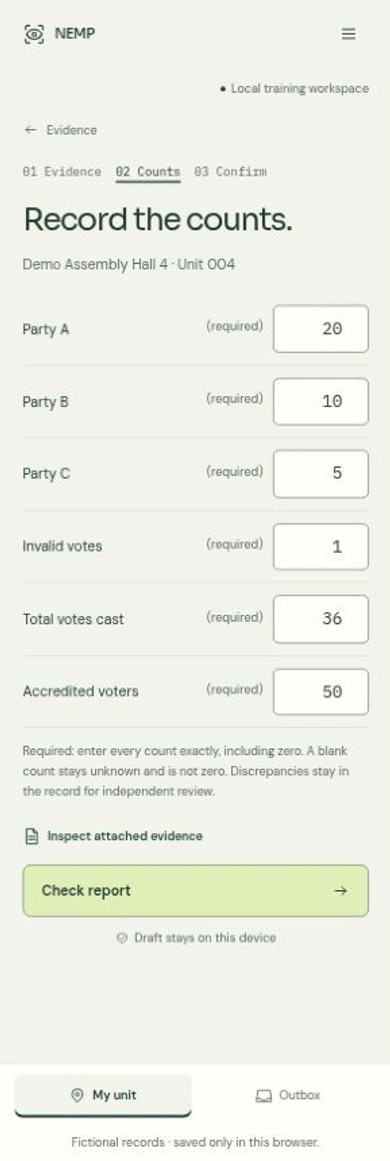
Retain the original image bytes as evidence.
Zero and unknown are different states.
An independent check within authorized scope.
Keep originals and append each revision.
Understand what has arrived, what has been reviewed and where observations are still missing.
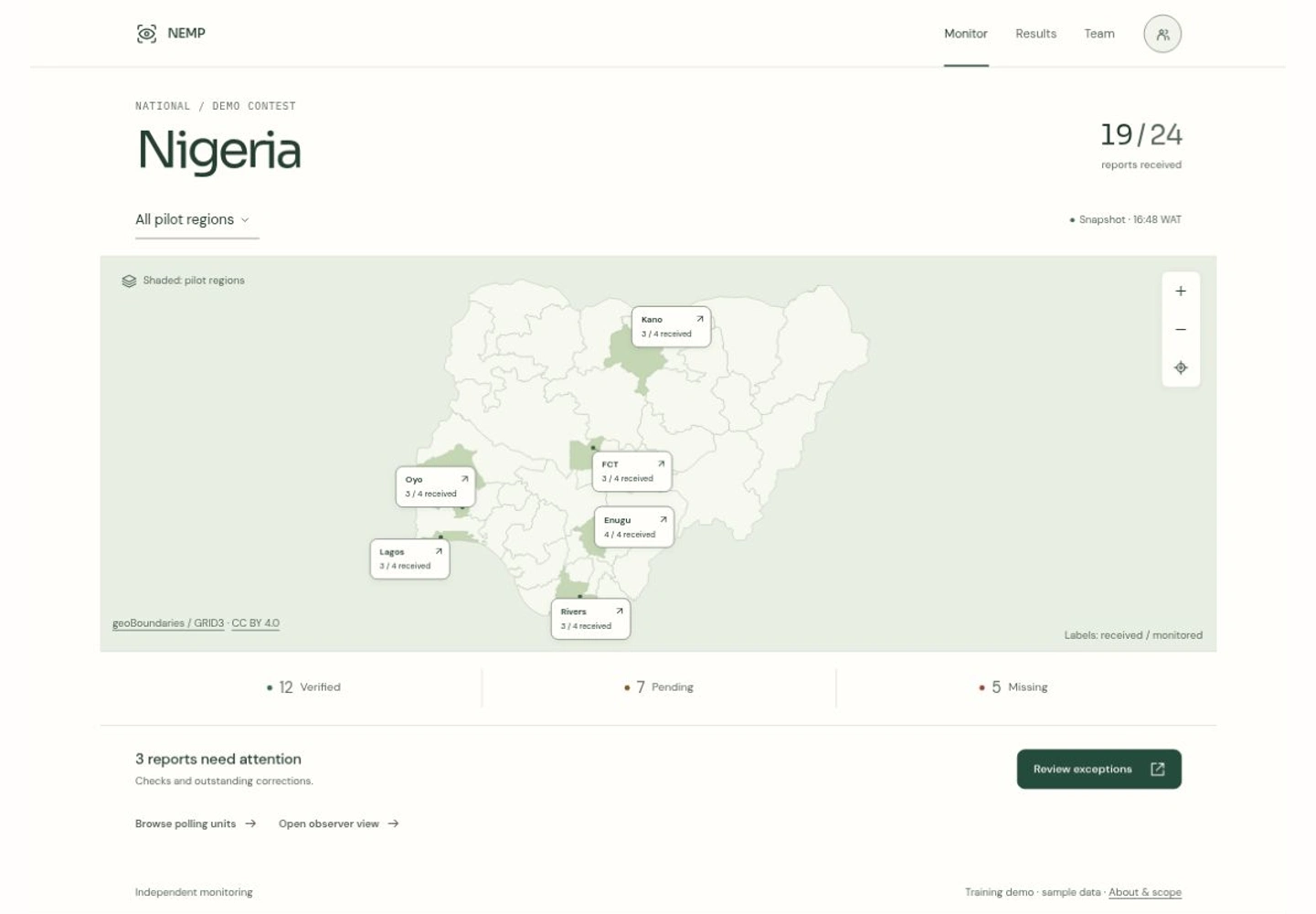
Follow only the area your role can access.
Received, pending, approved and missing.
Only current approved revisions contribute.
Trace authorized reports back to their source.
Different responsibilities, with the same care for the record.
Swipe to scroll ↔
| Your workflow | Observer | Coordinator | Administrator |
|---|---|---|---|
| Capture assigned units | ✓ Assigned | ✓ If assigned | ✓ If assigned |
| Read reports | ✓ Own reports | ✓ Within scope | ✓ Organization |
| Review another author | — No | ✓ Within scope | ✓ Organization |
| Monitor and export | ✓ Authorized scope | ✓ Within scope | ✓ Organization |
| Approve memberships | — No | — No | ✓ Administrator |
| Configure contests and assignments | — No | — No | ✓ Administrator |
Roles describe capabilities, not permission grants. Enabled membership, geographic scope, exact assignments and an active device still apply. Coordinators include state, LGA and ward roles; Administrator means an organization’s national administrator.
Start with verified source records, an approved membership and exact polling-unit duties.
Keep original source photographs with the report. Record location and time as explicit claims.
Transcribe the source, including zeros. Leave unknown values unknown and check discrepancies.
Keep retained drafts and original request identities. Confirm the server receipt after reconnection.
A different authorized reviewer checks the report. Corrections append history; originals remain.
Follow approved-source totals and missing coverage. Export authorized records with their context.
Observations are not official results. Confirm pilot availability and field preparation with your organization. Keep delivery receipts, check source counts yourself, and remember that OCR assistance remains unqualified for the first pilot.
Start with your organization, your role and your assignments.
Assigned access
Capture evidence and counts for the units assigned to you.
Request accessScoped access
Follow coverage and independently review reports in your area.
Open workspaceOrganization access
Prepare a verified cohort and manage your organization’s access.
Open administrationPilot
Prepare the correct account, device and assignment before field use.
Get preparation helpPilot
Capture source photographs and counts in the native field client.
Explore field capturePilot
Reconnect the original account and reconcile each delivery receipt.
Get delivery helpAccess follows your organization’s approval. Android pilot availability is controlled by your operator. Full access details →
NEMP — National Election Monitoring Platform — supports independent polling-unit observation: field evidence, recorded counts, independent review and scoped monitoring. Its observations and monitoring totals are not official election announcements.
Create your own username and password account, then use your organization’s join link to request access. An authorized administrator must approve membership and assignments. Registration alone grants no organization access.
No. Evidence and reports require authorization. Access follows your account, enabled organization membership, role and scope. The screens on this website use fictional illustration records.
Prepare encrypted storage and assigned work while connected, and wait for the app to confirm offline readiness. Saved drafts can be unlocked on the same device. Queued delivery is not a server receipt; reconnect as the original account and confirm delivery.
An authorized reviewer checks another author’s report. Corrections append history and retain originals. A pending correction does not replace the previous approved values in monitoring totals.
The browser provides protected capture, monitoring and administration. The native Android field client is a pilot with operator-controlled installation and preparation requirements. Ask your organization about availability; there is no public production download here.
Authorized users can request scoped CSV or XLSX export jobs. Files retain scope, source cutoffs and unknown values. Export eligibility is rechecked; a file does not certify official election results.
OCR is required for the first pilot but remains unqualified for that pilot. Browser assistance has not established deployed accuracy or native Android OCR availability. Check all source counts yourself.